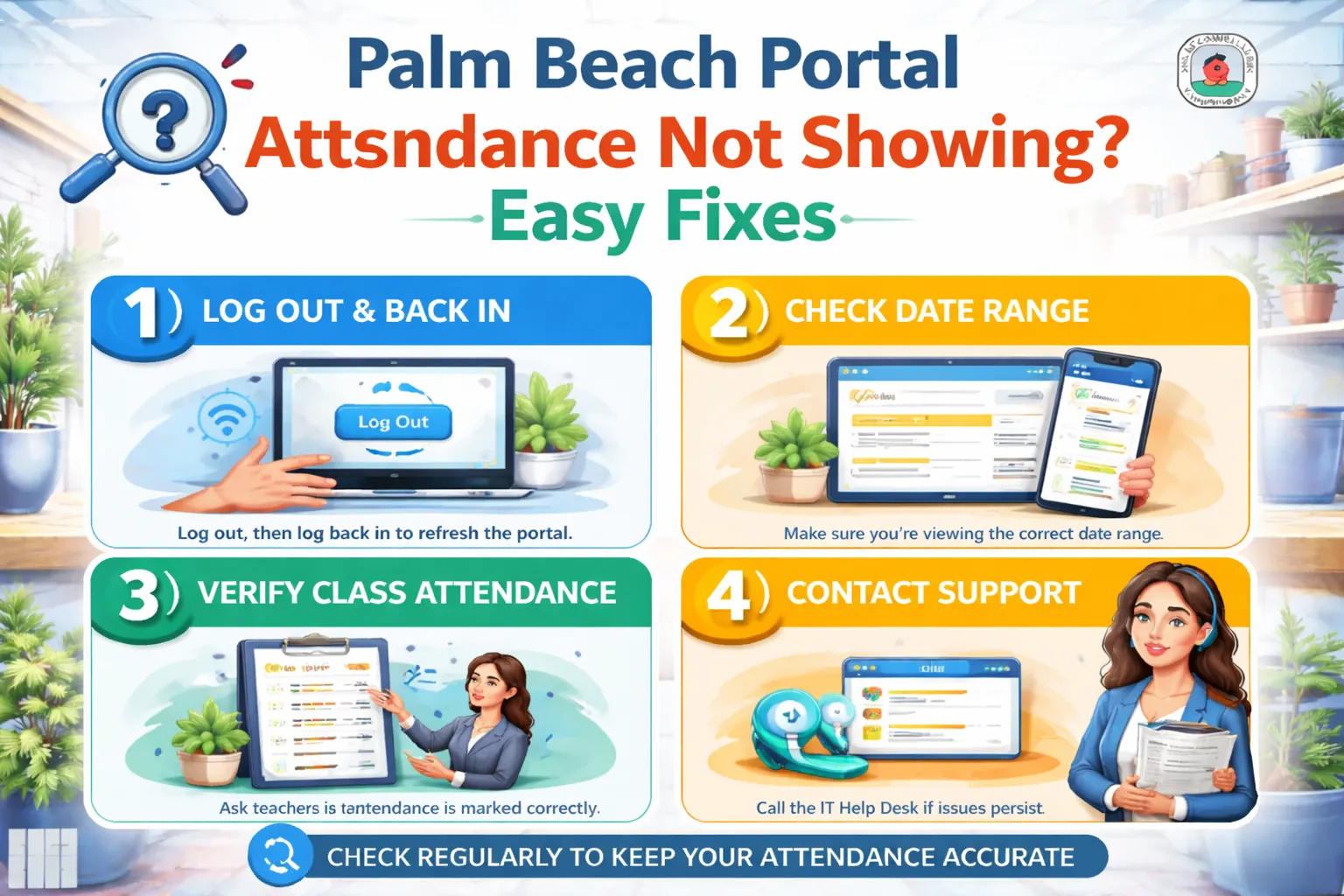
Palm Beach Portal Attendance Not Showing? Easy Fixes
Is Palm Beach Portal attendance not showing? Learn easy fixes for missing absences, delayed SIS sync, wrong term filters, mobile issues, and parent gateway errors.
It can be worrying when you log into the Palm Beach Portal and your attendance suddenly looks blank, missing, or outdated.
Maybe yesterday’s absence is not there.
Maybe tardies are missing.
Maybe the whole attendance section is blank.
The good news? Most of the time, this is not a serious portal problem.
The Palm Beach SIS system normally shows absences (excused and unexcused) plus tardies right on the homepage, so when it disappears, the issue is usually caused by filters, sync delay, browser cache, or the school office not updating the record yet.
Let’s fix it step by step.
The School Attendance Office Has Not Updated It Yet
This is the most common reason.
Sometimes the teacher marks attendance first, but the office updates:
- doctor notes
- parent notes
- excused status
- tardy corrections
- early dismissal
a little later.
So your student portal palm beach may temporarily show:
- blank attendance
- wrong absence count
- unexcused instead of excused
- missing tardy
- yesterday’s data only
A short delay is normal, especially in the morning.
Honestly, many “portal issues” fix themselves after lunch.
Refresh the Palm Beach Portal Dashboard
Sometimes the attendance data is there, but the palm beach portal dashboard is showing an old cached view.
Fast Fix
Do this first:
- sign out
- close the browser
- reopen the palm beach portal login
- open SIS Gateway
- refresh once
The SIS homepage is where attendance usually appears first for parents and students.
This solves a surprising number of blank attendance problems.
Check the Correct Marking Period or School Year
A very common mistake is checking the wrong term.
If the SIS filter is set to:
- old quarter
- previous semester
- last school year
- archived course term
then today’s attendance may not appear.
Always verify:
- current term
- active school year
- present quarter
- correct class period
A simple filter mismatch can make attendance look completely missing.
Pretty frustrating for such a tiny thing, right?
Mobile View Is Hiding Attendance Data
The palm beach portal mobile access version is great for quick checks, but smaller screens sometimes hide sections.
This can happen when:
- phone is vertical
- browser zoom is high
- older mobile browser used
- SIS menu collapsed
- attendance widget moved lower
Quick Mobile Fix
Try:
- rotate phone landscape
- use desktop mode
- switch to Chrome
- use tablet
- open laptop
This often makes the attendance panel appear instantly.
Browser Cache Is Showing Old SIS Data
Old cache can stop fresh attendance sync.
This is very common when:
- portal tab stayed open overnight
- same tab reused for days
- old login session active
- saved cookies conflict
Cache Fix
- clear cache
- clear cookies
- reopen browser
- login again
- open SIS Gateway
This helps the palm beach school portal pull the latest attendance record.
Teacher Has Not Submitted Attendance Yet
Sometimes the issue is not SIS.
It’s timing.
Teachers may still be:
- taking first-period attendance
- correcting tardies
- verifying absences
- updating remote class status
- waiting for office note
That means the Palm Beach Portal attendance not showing issue may simply be a delay from the classroom side.
A good rule:
- morning → wait 30–60 minutes
- afternoon → recheck after next class
- next day → contact office if still missing
Parent Note or Doctor Note Still Pending
If a student was absent recently, the school may still be reviewing:
- doctor note
- parent absence form
- early release slip
- transportation issue note
Palm Beach schools usually require absence notes quickly after return, and the attendance office may take some time to process them.
So the portal may briefly show:
- blank
- unexplained
- missing excuse update
This is especially common after weekends.
Wrong Student Selected in Parent Gateway
For families with multiple children, parents sometimes open the wrong student profile.
This makes attendance appear blank because they are viewing:
- another child
- different grade level
- graduated student profile
- inactive linked account
Inside the parent login palm beach portal, always confirm the correct child is selected before checking attendance.
That tiny mix-up happens a lot.
Internet or Wi-Fi Sync Delay
A weak connection can stop SIS from fully loading.
Watch for:
- partial homepage
- grades visible but attendance blank
- loading spinner
- missing tardies only
Quick Network Fix
- restart Wi-Fi
- disable VPN
- switch browser
- use mobile hotspot
- retry laptop
Sometimes it’s just the network cutting off the attendance widget.
When Attendance Still Does Not Show
If it’s still blank after all fixes, contact:
- grade level office
- attendance office
- school front desk
- teacher
- counselor
The SIS FAQ confirms attendance should normally appear right on the homepage next to grades and teacher names.
So if it’s missing for more than a day, the school can verify:
- teacher submitted record
- office processed note
- SIS sync problem
- wrong student profile
- technical error
Best Student and Parent Attendance Workflow
Here’s the fastest daily habit.
Students
- check attendance after first period
- recheck after lunch
- confirm tardies
- report mistakes same day
Parents
- review every evening
- compare with school call alerts
- submit doctor notes fast
- contact office next morning if still wrong
Small habits prevent bigger attendance issues later.
Conclusion
If Palm Beach Portal attendance is not showing, the issue is usually simple:
- office update delay
- teacher not submitted yet
- wrong term filter
- mobile hidden section
- cache issue
- wrong child selected
- Wi-Fi sync problem
The fastest fixes are:
- refresh SIS
- clear cache
- check correct term
- switch to desktop
- wait for office processing
- contact attendance office if it stays blank
Most of the time, attendance is not missing permanently—it’s just delayed, filtered, or hidden by screen layout.
Want the next article in this SEO series? Send the next title and I’ll write another 1000+ word Google-rankable article in your exact checklist style.
FAQs
Why is attendance blank on Palm Beach Portal?
Usually because the school office has not updated the record yet, the teacher has not submitted attendance, or the SIS page is cached.
Does Palm Beach Portal show attendance on the homepage?
Yes, attendance normally appears on the SIS homepage with absences and tardies.
Why is attendance missing on my phone?
Mobile screens can hide sections, so switching to desktop mode or laptop often fixes it.
Can doctor notes delay attendance updates?
Yes, the office may need time to review and convert the absence into an excused record.
When should I contact the school?
If attendance is still not showing after one full school day, contact the attendance office or grade-level office.